
Tiers & Pricing
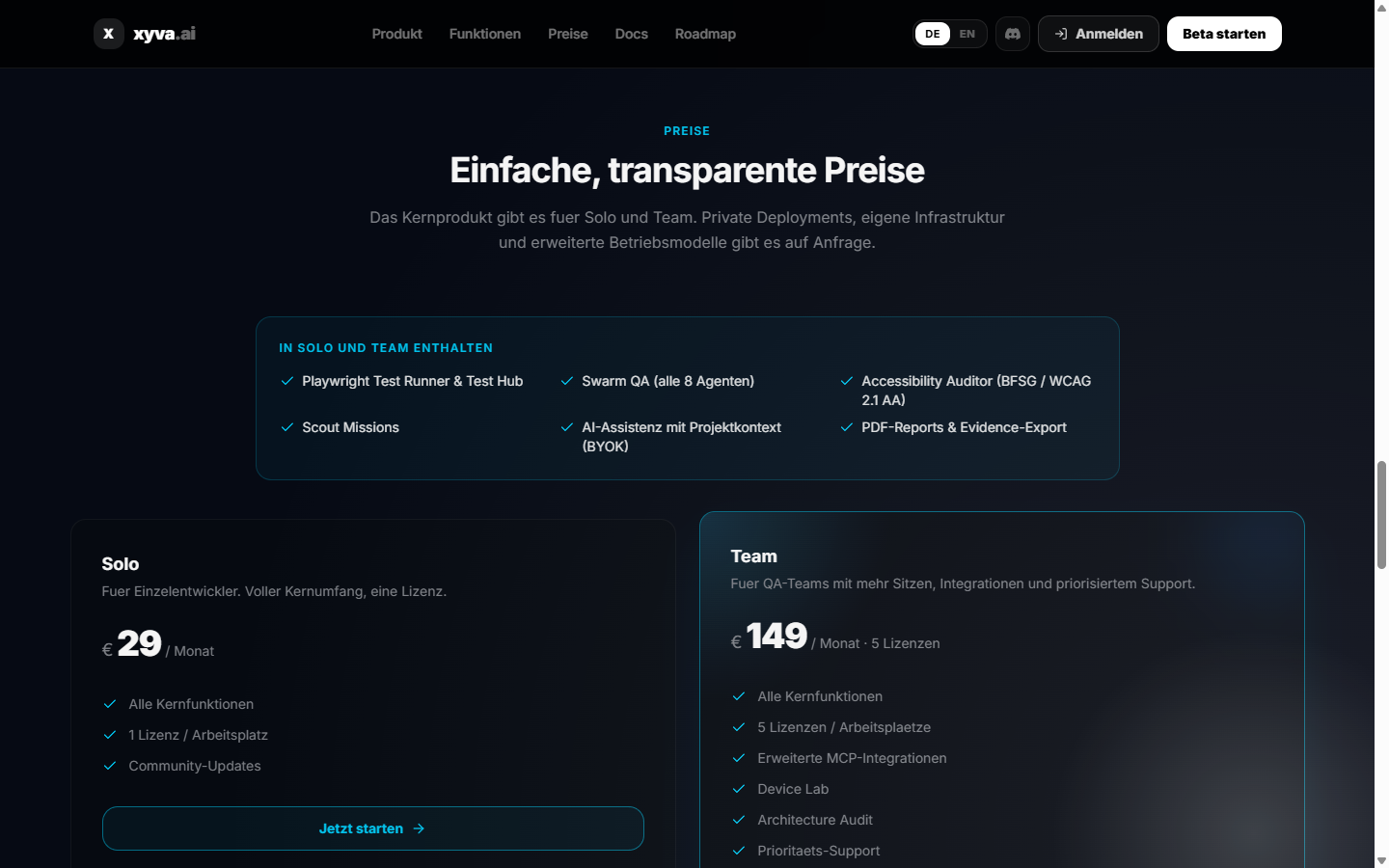
xyva.ai uses a subscription model managed through the portal. Billing, seat management and license downloads live under Portal → Billing.
Plans
| Plan | Price | Seats | Best for |
|---|---|---|---|
| Solo | EUR 29 / month | 1 | Individual QA engineers and solo automation workflows |
| Team | EUR 149 / month | 5 | QA teams needing shared workflows, integrations and priority support |
Both plans include a 14-day free trial — no credit card required.
What every plan includes
- Playwright Test Runner (via local agent)
- Test Hub and catalog
- AI assistance with project context (BYOK — all providers)
- Swarm QA with all 8 agents
- Accessibility Auditor for BFSG / WCAG 2.1 AA
- Project Scout
- Evidence export and PDF reports
- Run history (30 days Solo, 90 days Team)
Team extras
- Architecture Audit
- Device Lab (device emulation + multi-browser)
- Advanced MCP integrations
- 5 concurrent agent connections
- Team member roles (admin, developer, viewer)
- Priority support
Enterprise & private deployment
Advanced deployments are available on request:
- Self-hosted portal
- Self-hosted AI Proxy
- Ops Portal and monitoring
- Scheduled Swarm scans with webhook escalation
- Checkmk correlation
- Extended run history (365+ days)
- Custom seat counts and SLAs
Contact hello@xyva.ai or use the enterprise form on xyva.ai/#pricing.
Starting a subscription
- Open xyva.ai/#pricing and click Start free trial.
- Complete Stripe checkout (Solo or Team).
- Sign in to xyva.ai/app — the portal activates your subscription automatically.
- Start the local agent and begin testing.
No manual license key entry, no code signing, no offline activation loop.
Managing seats (Team)
Portal → Billing → Seats — invite team members by email. Each invited user gets a portal account and can connect their own local agent. The team admin can manage roles and revoke access per user.
Billing & invoices
Portal → Billing → Invoices shows all past invoices as PDF downloads. Stripe handles payments; VAT is calculated per the customer's country.